
At DeskDwell.com, we’ve always been passionate about how the spaces around us affect our day-to-day lives, especially when it comes to maintaining comfort and productivity in home offices. As woman-owned, we’ve poured our hearts and soul into crafting ergonomic solutions that not only meet but exceed user expectations. Here are some tips on creating a comfortable home office so your productivity flourishes.
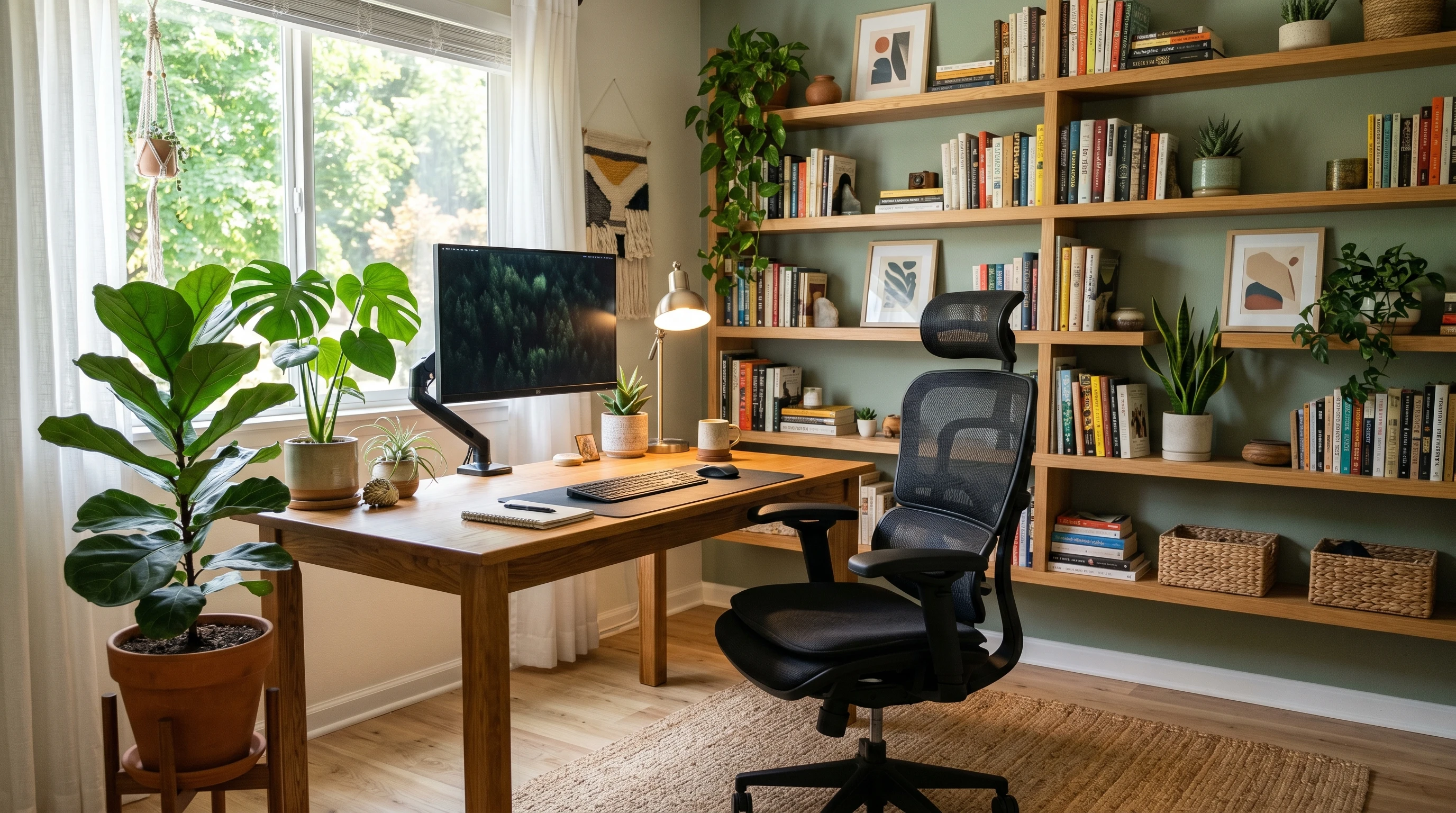
TL; DR: Creating A Comfortable Home Office starts with a space that supports both focus and comfort. Choose a quiet spot with good lighting, add an ergonomic chair, raise your screen to eye level, keep cords organized, and personalize the area with plants, decor, or soft sound control so your workspace feels calmer and easier to use.
Why a Cozy Home Office Matters
Working from home has switched up how I approach the idea of workspace. Comfort isn’t a luxury; it’s a big deal if you want to stay productive and well. Throughout my own experience and by helping others with their setups, I’ve seen firsthand how things like back pain and constant distractions can slow people down. On the flip side, a well-set-up home office makes work feel almost effortless and keeps stress lower.
Home office design went through serious change after 2020, with more people needing a space that supports real work. The switch wasn’t just about portability, but actually creating an environment that helps us focus, avoid injuries, and balance work with life at home. With more than 27% of Americans working remotely part-time or full-time as of 2024 according to Gallup, finding that sweet spot of comfort is more important than ever.
Getting Started: Identifying Your Space and Needs
Before you buy anything, I always find it helpful to look at what you’re working with. Not everyone has a spare room, so turning a corner of your bedroom, dining area, or even a closet into an office is totally valid. Take a look at things like:
- Noise Levels: Pick a spot where you’re less likely to be interrupted by kitchen clatter or TV noise.
- Lighting: Natural light feels awesome, but sometimes blackout curtains or a quality desk lamp are necessary for video calls or late-night work.
- Power Outlets: Easy access to outlets equals fewer tripping hazards and less frustration with chargers and cords.
- Temperature and Ventilation: A space with controllable airflow makes a real difference for comfort long term.
Getting these basics right is the backbone for anything else you do later with furniture or gear.
Top Essentials for a Comfortable Home Office
Some home office staples just make everything smoother. There’s no single perfect setup, but these essentials are what I recommend to just about everyone based on my experience and customer feedback at DeskDwell.com.
- Ergonomic Chair: Good lumbar support and adjustable features are big for avoiding back pain. I always encourage folks to test chairs out in person if they can, or check for generous return policies if shopping online.
- Height-Adjustable Desk: Switching between sitting and standing really helps beat that all day slouch. Even basic models can support better posture and energy levels throughout the day.
- External Monitor or Laptop Stand: Propping your screen at eye level helps keep neck and shoulder pain at bay. It feels like a small tweak, but it’s got big payoffs if you work on a computer for hours.
- Keyboard and Mouse: Going for separate, ergonomic options rather than hunching over a laptop’s trackpad gives wrists a break and reduces strain for longer sessions.
- Task Lighting: Adjustable LED desk lamps cut down on eye fatigue, especially during cloudy days or late work nights.
- Cable Management: Clips, under-desk trays, or even just velcro ties help keep things organized and less chaotic under and around your desk.
Smart Tips for Customizing Your Space
 Little tweaks make the space yours and help give a boost to your mood while working. Some things I love doing or sharing with others include:
- Add Plants: Greenery like snake plants or pothos are low-maintenance but bring a fresh, calming vibe (plus they clean the air a bit).
- Personal Decor: Photos, art prints, or even a nice mug add character and keep the space from feeling stale.
- Sound Control: White noise machines or soft background playlists help block out distractions. Acoustic panels are worth considering if echoes are an issue.
- Flexible Storage: Open shelving, desk drawers, or rolling carts make it easy to keep supplies within reach without having mess everywhere.
No need for a Pinterest-perfect office. A comfy throw blanket or cool lamp can make a huge difference and keep everything feeling inviting.
Common Home Office Challenges and How to Fix Them
Most of us have hit at least one of the classic work-from-home roadblocks. I pull from both my own experience and customers’ stories to help troubleshoot the most common ones:
- Pain and Discomfort: If you’re feeling sore, check your chair height and monitor position first. Wrists, back, and neck should all be pretty neutral, not bent or strained.
- Lack of Motivation: Switching up your environment, changing lighting, or even just putting on your favorite work playlist can reset your mood.
- Clutter and Mess: Spending five minutes at the end of each day to tidy up keeps things functional and calm, so you’re not overwhelmed by stuff when you start work.
- Distractions: Keeping your “work” zone separate from “relax” zones, even if it’s by using a room divider or curtain, helps reinforce focus during work hours.
Ergonomics Troubleshooting
Sometimes it’s the small adjustments that rescue your comfort. I always suggest the “90-90-90” rule: feet flat on the floor, knees and hips at roughly 90-degree angles, elbows at about 90 degrees when typing. Monitors should be at eye level, about an arm’s length away. These tweaks save a lot of aches and make it easier to stay productive.
Boosting Mental Wellness
Burnout is real, especially if your work hours bleed into evenings. Setting a solid start and end time for work, using reminders to take breaks, and sometimes just stepping outside for a change of scenery all help keep your mood in good shape.
Advanced Tips for Next-Level Comfort
 Once you’ve nailed the basics, a few advanced tweaks can make your day flow better:
Try Voice Assistants: I’m a fan of using smart speakers or desktop apps to set reminders, handle calendar events, or manage to-do lists hands free.
Explore Better Lighting: A daylight spectrum bulb or a light therapy lamp can make gloomy days less draining if you’re in a windowless corner.
Upgrading to Wireless: Fewer cords mean less clutter and more freedom to move things around when you want to rearrange.
Standing Desk Mats: If you’re on your feet a lot, an anti-fatigue mat makes standing easier on your legs and feet.
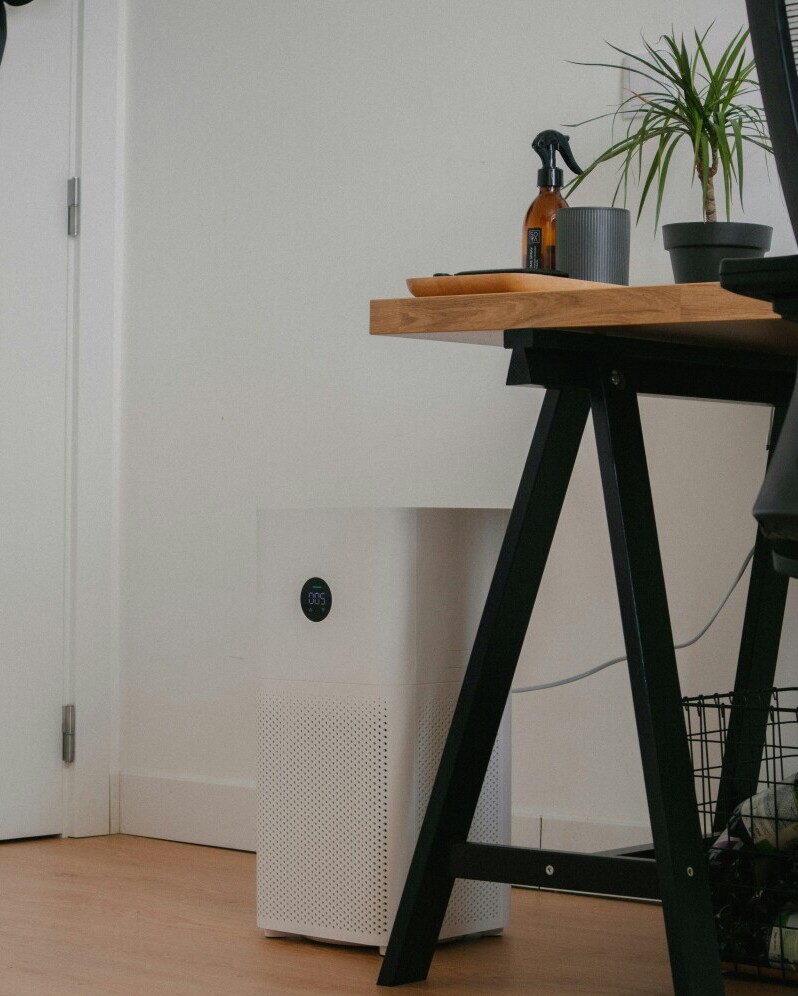
Air Purifiers: In stuffy or older spaces, these help keep the atmosphere fresh, making it easier to focus and breathe.
Even affordable, smaller upgrades can make the space friendlier and keep you healthier over time. For example, setting up a small coffee or tea station with your favorite mugs, or adding a cozy footrest, can subtly make the entire experience more enjoyable. Scented candles or essential oil diffusers also help create a calming environment that supports your workflow.
Real-World Applications: How a Comfortable Office Impacts Your Routine
Setting up my own home office was a total game changer. I got fewer headaches and ended the day with more energy. I hear the same from a lot of DeskDwell.com readers who swapped out old kitchen chairs for ergonomic options or added a real desk instead of working from the couch. Some spot improvements in their focus, while others just feel happier and more “at home” during work hours.
- Freelancers: Stronger focus with fewer physical aches, better worklife separation.
- Parents: Easier to step into “work” mode in a defined space, even with family at home.
- Online Learners: Dedicated desk setups improve posture and keep school supplies from getting lost under the bed.
Many people find that a comfy workspace doesn’t just help during working hours, it can also support hobbies or creative projects. A well-thought out office gives you room to try new things—maybe start a side hustle, pursue a craft, or simply enjoy a new book in the same comfortable chair.
Frequently Asked Questions
How do I make a small space more comfortable for working from home?
Try wall-mounted shelves, fold-down desks, or compact storage solutions. Good lighting and a simple layout help a lot in small rooms or corners.
Is it worth investing in high-end ergonomic gear if I only work from home occasionally?
Even occasional use adds up. Consider mid-range chairs or desks with basic adjustability. You don’t have to go for the fanciest gear, but a comfortable chair and monitor setup pay off quickly in feel and focus.
What’s the best way to keep a home office organized?
Start with fewer items on your desk, use cable clips and desk organizers, and tidy up a little every day. A clutter-free space makes it much easier to relax and get into work mode.
How can I improve work-life balance while working from home?
Create clear boundaries (like set work hours or physically changing out of “work” clothes), and use visual cues like lighting or a closed laptop to signal the end of your workday.
Final Thoughts
Building a comfortable home office doesn’t have to be complicated or expensive. Focus on the things that genuinely improve your comfort and workflow. A supportive chair, a sturdy desk, and plenty of light go a long way. Little touches like plants, music, and personalized decor make the space truly yours. With a thoughtful approach, your home office can be both a productive zone and a place you actually want to spend time.
Thanks for stopping by! If you’re ready to upgrade your space or just want more tips, you’ll track down product recommendations and setup ideassetup ideas at DeskDwell.com.
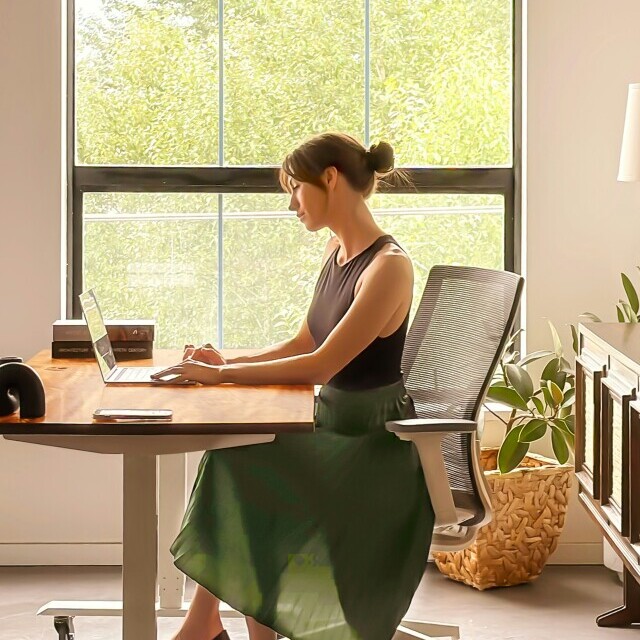
TL:DR; Creating A Comfortable Home Office starts with a space that supports both focus and comfort. Choose a quiet spot with good lighting, add an ergonomic chair, raise your screen to eye level, keep cords organized, and personalize the area with plants, decor, or soft sound control so your workspace feels calmer and easier to use.